



1.1 Starting Point
What should I confirm before an online practical?
Prepare a clear workspace and camera view for live online stringing instruction. Write down the session date, platform and practical task, then read the instructions with your equipment list beside you. Identify the views the instructor needs and prepare questions about any requirement that is unclear.
Keep the plan available at the workstation so the session begins with the same understanding on both sides. Organising these details early allows more of the scheduled time to be used for demonstration, observation and feedback on the actual stringing task. Prepare a short checklist covering the task, camera views, materials and communication arrangements.
Tick off each item during the rehearsal and keep the list nearby on the day. If the instructor requests a change, update the same checklist so the final setup is easy to reproduce for later lessons. This also helps a learner recognise which preparation steps made the session run smoothly.
1.2 Preparation
How should I position the camera?
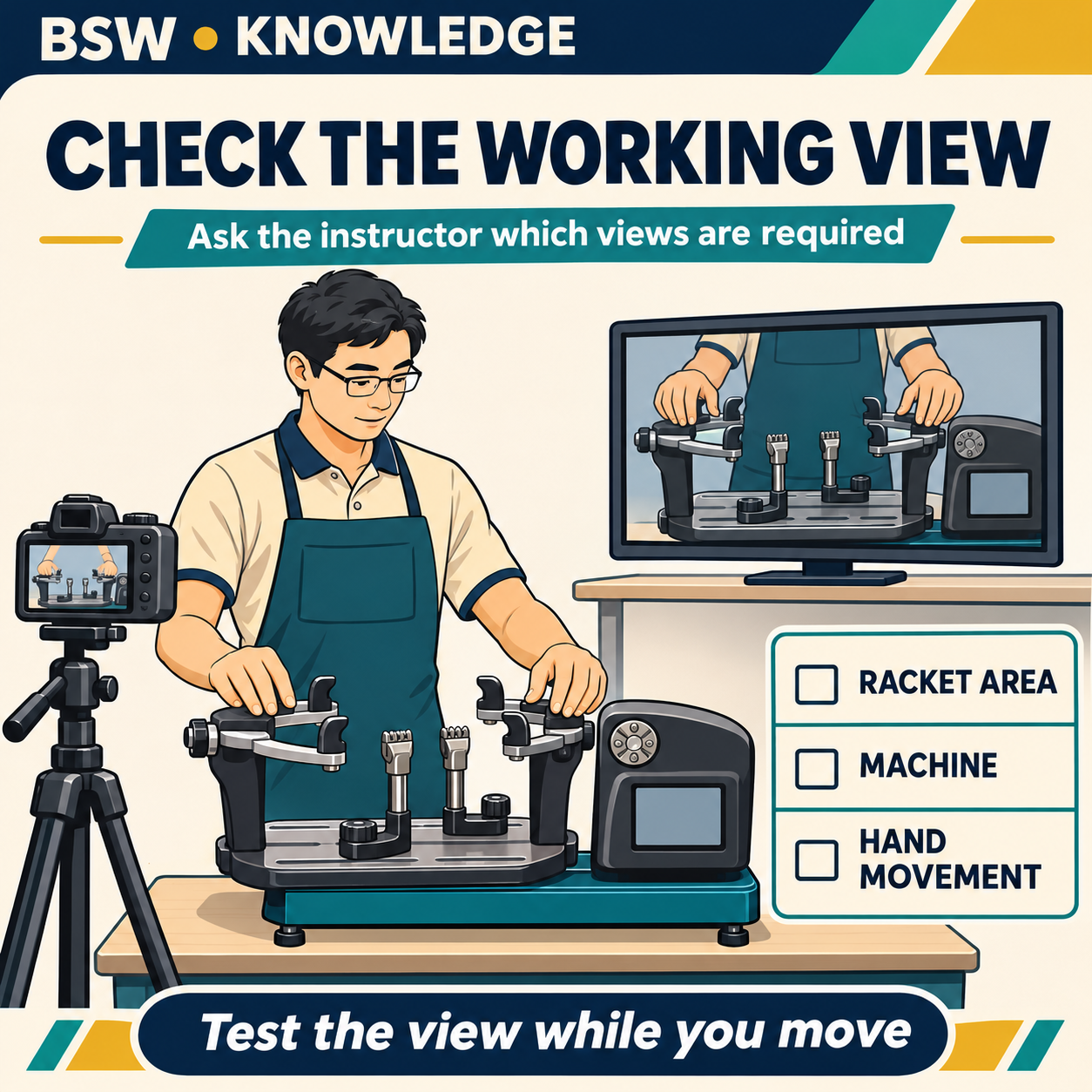
Position the camera so that the required racket, machine and working actions can be seen. Ask the instructor which views are needed rather than guessing from a generic video setup. Test the picture while standing and moving as you will during stringing. Your body, hands or a machine support may block a critical area even when the empty workstation looks clear.
Test the view with the racket mounted and with your hands moving through the expected working positions. Ask a viewer to describe which actions remain visible and which areas are blocked.
Adjust the camera position before the appointment and make a note of the successful arrangement. If more than one view is needed, practise moving between them without disturbing the equipment. This turns camera preparation into a practical rehearsal of the lesson rather than a check of an empty table.

1.3 Working Method
How should lighting and sound be tested?
Check that the viewer can distinguish the string, frame and relevant working details without glare or deep shadow. Test speech from the normal working position and listen to a short recording. An expensive camera does not compensate for a badly lit or obstructed view.
Make necessary adjustments before the appointment so that practical time is spent learning rather than repeatedly troubleshooting the same visibility problem. Record a brief sample from the working position and play it back to check both the detail in the image and the clarity of speech.
Look for glare on the frame, shadows across the strings and background noise that makes instructions difficult to hear. Make one adjustment at a time, then repeat the sample. Keep the final arrangement ready for the session so the instructor can concentrate on the work and communicate corrections clearly as the lesson progresses.

1.4 Practical Review
What connection and power checks are useful?
Use the required platform and test the connection before the session. Arrange power for the camera, computer and equipment as appropriate, and keep cables out of the working path.
Check the details. Open the required platform and test the equipment you will actually use, including audio and any camera switching.
Review the process. Arrange cables so they remain clear of normal movement. Keep the session contact information and agreed reconnection procedure nearby, allowing an interruption to be handled in an organised way.
Plan the next step. Test the call from the actual working location and check that the device remains powered throughout the expected session. Keep the platform controls accessible without reaching over the racket. Practise reconnecting and restoring the required view during the rehearsal so the sequence is familiar before the appointment begins.

1.5 Key Checks
Which materials should be ready before the session?
Record the context.
Have the approved racket, string, tools and applicable pattern available before starting. Confirm whether the provider expects a particular machine or frame for the task. Keep personal notifications and unrelated customer information out of the camera view.
Check the details.
For a course exercise, prepare a job record so that the instructor can review the plan as well as the finished result. Place the selected frame, string, tools and readable pattern within the working area before joining.
Review the process.
Prepare a job sheet with the planned task and equipment details. Keep unrelated customer paperwork outside the camera view so the session stays focused on the exercise being reviewed.

1.6 Service Record
What should a short rehearsal include?
Carry out a brief non-assessment rehearsal of the camera positions and communication. Check that you can hear instructions while working and that the viewer can request a closer view when needed.
Check the details. Practise a short sequence of showing the setup, receiving an instruction and presenting a closer view. Check that you can hear the instructor from your normal stance.
Review the process. Note any awkward camera adjustment and correct it before the appointment, keeping the practical session focused on learning. Ask the viewer to request a close view of a selected area and confirm that the detail is visible.
Plan the next step. Return the camera to the main working position and repeat a short instruction aloud. Record the adjustments that worked so the same setup can be prepared for the next session.

1.7 Guided Practice
What information should I send when arranging a session?
Describe your experience and equipment accurately in the application. Include your racket sport, current experience, equipment and preferred learning format when contacting BSW. Describe the practical task you want help with and confirm the session arrangements.
A concise equipment and experience summary helps the instructor prepare relevant guidance and identify anything you should organise beforehand. Attach a concise list of the available machine, camera and connection arrangement when discussing the session. Identify which part of the task you can already perform and where feedback would help.
Confirm the required preparation and keep the appointment details with the practice record. After the lesson, add the instructor’s next action so the equipment preparation and learning objective remain connected for the following session.
Online Practical Setup Quick FAQ
Practical answers about online practical setup, preparation, service decisions and guided stringing practice.
What should I confirm before an online practical?
Prepare a clear workspace and camera view for live online stringing instruction. Write down the session date, platform and practical task, then read the instructions with your equipment list beside you. Identify the views the instructor needs and prepare questions about any requirement that is unclear.
How should I position the camera?
Position the camera so that the required racket, machine and working actions can be seen. Ask the instructor which views are needed rather than guessing from a generic video setup.
How should lighting and sound be tested?
Check that the viewer can distinguish the string, frame and relevant working details without glare or deep shadow. Test speech from the normal working position and listen to a short recording.
What connection and power checks are useful?
Use the required platform and test the connection before the session. Arrange power for the camera, computer and equipment as appropriate, and keep cables out of the working path.
Which materials should be ready before the session?
Have the approved racket, string, tools and applicable pattern available before starting. Confirm whether the provider expects a particular machine or frame for the task.
What should a short rehearsal include?
Carry out a brief non-assessment rehearsal of the camera positions and communication. Check that you can hear instructions while working and that the viewer can request a closer view when needed.
What information should I send when arranging a session?
Describe your experience and equipment accurately in the application. Include your racket sport, current experience, equipment and preferred learning format when contacting BSW. Describe the practical task you want help with and confirm the session arrangements.
What should I keep for the next review?
Keep the task objective, equipment details, completed work and useful observations together. Add the date and a clear next action so the next review can build on the same record.
How can I develop this skill with BSW?
Bring your current experience and a specific practical question to BSW. Discuss the relevant stringing course and use instructor feedback to plan the next exercise around the skill you want to develop.
Online Practical Setup: Explore the Practical Decisions
Build a Clear Working Method
Use the sections, questions and interactive comparison to review online practical setup. Keep a clear practice record and use instructor feedback to choose a focused next task.
| Service Check | Rushed Approach | Planned Approach |
|---|---|---|
| Session plan | Join without reading the instructions | Confirm the task and required views |
| Camera | Empty workstation looks clear | Check the view while actually working |
| Connection | Leave reconnection unplanned | Keep the agreed interruption procedure ready |
| Preparation | Arrange materials during the lesson | Prepare the equipment and job sheet beforehand |
| Job record | Leave the setup in memory | Write the exact task, equipment and agreed settings |
| Next action | Repeat the same routine without review | Use the recorded feedback to choose the next task |
Develop Your Certification Stringing Skills with Best Stringer Worldwide
Ready to work on online practical setup in a guided learning setting? Tell Best Stringer Worldwide about your racket sport, current experience and available equipment. Bring a specific question or practice record so the discussion can focus on the skill you want to develop. Explore the relevant course and plan a practical next step with clear preparation, useful feedback and an organised learning record.